
Implement E-Retail Point Effectively: A Step-by-Step Guide
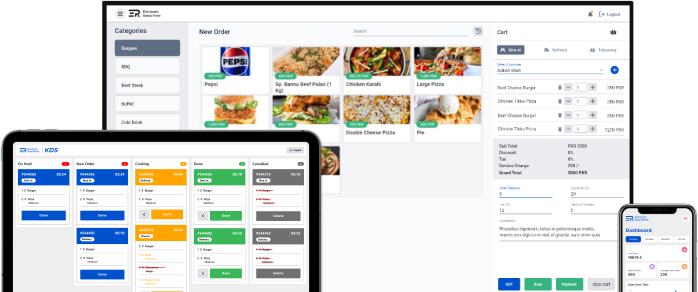
Implementing a new POS system can be a transformative process for your business. E-Retail Point offers a range of features designed to streamline operations and enhance efficiency. This blog provides a step-by-step guide to effectively implementing E-Retail Point in your business, ensuring a smooth transition and maximizing the benefits of the system.
Step 1: Assess Your Needs
Before implementing E-Retail Point, assess your business needs and objectives. Consider the following:
- Business Requirements: Identify the specific features and capabilities you need, such as inventory management, sales tracking, or customer data tools.
- Budget: Determine your budget for the POS system, including any additional costs for hardware, training, or support.
- Integration Needs: Evaluate how E-Retail Point will integrate with your existing systems, such as e-commerce platforms, accounting software, or CRM tools.
Step 2: Plan the Implementation
Develop a detailed implementation plan that outlines the key steps and timeline for the transition. Include the following:
- Timeline: Establish a timeline for the implementation process, including key milestones and deadlines.
- Resources: Identify the resources required for the implementation, including staff, hardware, and training materials.
- Training: Plan for staff training to ensure that everyone is familiar with E-Retail Point’s features and functionalities.
Step 3: Set Up and Configure the System
Once you have a plan in place, begin setting up and configuring E-Retail Point:
- Install Hardware: Set up any necessary hardware, such as POS terminals, barcode scanners, or receipt printers.
- Configure Software: Configure E-Retail Point’s software to match your business needs, including setting up inventory, sales, and customer data.
- Integrate Systems: Integrate E-Retail Point with your existing systems, such as e-commerce platforms and accounting software, to ensure seamless data flow.
Step 4: Train Your Staff
Effective training is crucial for a successful implementation:
- Provide Training: Offer comprehensive training sessions for your staff to familiarize them with E-Retail Point’s features and functionalities.
- Create Manuals: Develop user manuals or guides to serve as reference materials for staff.
- Offer Support: Ensure that support is available during the transition period to address any questions or issues.
Step 5: Test and Go Live
Before fully launching E-Retail Point, conduct thorough testing:
- Test Functionality: Test all features and functionalities of E-Retail Point to ensure they are working correctly.
- Conduct Pilot Runs: Perform pilot runs of transactions, inventory management, and reporting to identify and resolve any issues.
- Go Live: Once testing is complete and any issues have been addressed, officially launch E-Retail Point in your business.
Step 6: Monitor and Optimize
After the implementation, monitor the system’s performance and make any necessary adjustments:
- Monitor Performance: Regularly review system performance, including sales data, inventory levels, and customer feedback.
- Optimize Processes: Identify areas for improvement and optimize processes to enhance efficiency and effectiveness.
- Seek Feedback: Gather feedback from staff and customers to ensure that E-Retail Point is meeting their needs and expectations.
Conclusion
Effectively implementing E-Retail Point requires careful planning, configuration, training, and testing. By following these steps, you can ensure a smooth transition and maximize the benefits of E-Retail Point for your business. Embrace the power of E-Retail Point and transform your operations with a state-of-the-art POS system.